Locales
Each site has one primary locale (set when you first connect; defaults to en) and any number of target locales that you add.
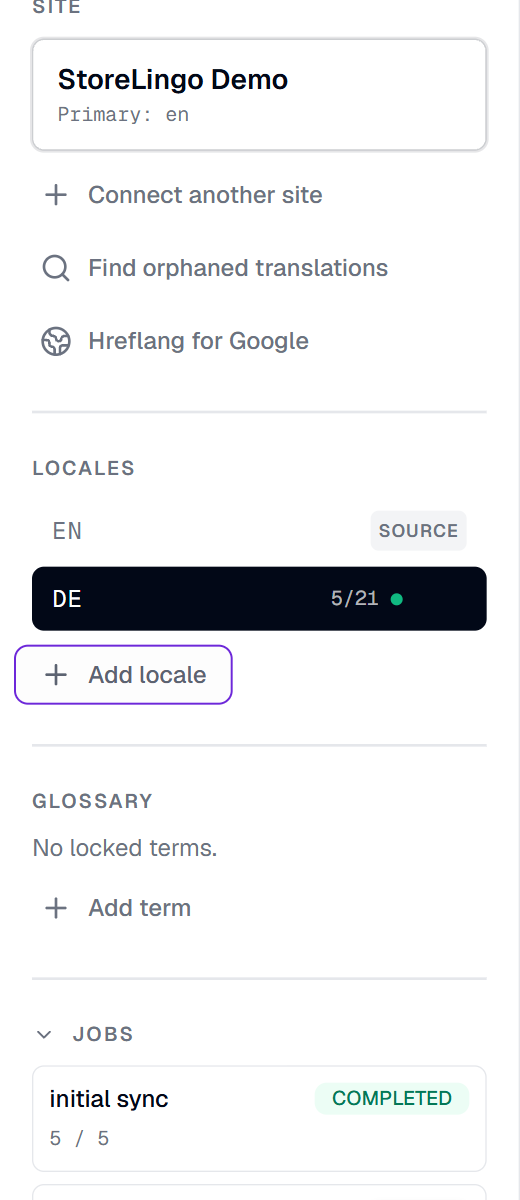
The completion chip
Next to every non-source locale, a small done / total chip shows how complete that locale is. The count aggregates products + every CMS item across every collection. An item is "done" when every source-content-bearing field has a non-empty translation in that locale.
Tooltip on hover reads "X of Y items fully translated."
The chip auto-updates after every save, every AI translate run, and every orphan adoption. No manual refresh needed.
Adding a locale
Click + Add locale in the sidebar. Enter:
- Code - two-letter ISO code (
nl,de,fr,es,ja,ko,zh, etc) or regional (en-GB,pt-BR). - Name - human label (
Dutch,Deutsch,Français). - Slug prefix (optional) - customize the URL prefix for duplicate Webflow rows. Defaults to the locale code (so
deproducesde-blue-mug). Set tode-deif you wantde-de-blue-mug.
DeepL supports 30+ source/target languages. If you add a locale DeepL doesn't support, AI translate returns 0 fields for that locale; you can still translate manually.
When you add a locale, StoreLingo:
- Creates the locale row in your StoreLingo database.
- Backfills empty translation rows for every product × locale × translatable-field combo.
- Same backfill for every CMS item in every collection.
- Re-applies the hreflang script (auto mode) so the new locale is part of the head tag set on the next publish.
Removing a locale
Hover the locale in the sidebar, the delete (trash) button appears. Confirm in the dialog.
What happens:
- All StoreLingo translation rows for that locale are deleted.
- The hreflang script auto-updates to drop the removed locale.
- The duplicate Webflow products with that locale's slug prefix are NOT deleted from your Webflow site. They remain there until you delete them manually in Webflow Designer or via the Orphan Recovery dialog (which will detect them as orphans on the next connect).
This is intentional. We never silently delete from Webflow on a locale removal because you might want to keep the published pages live while you regroup.
Plan limits
| Plan | Locales |
|---|---|
| Starter | 2 |
| Growth | 5 |
| Pro | Unlimited |
| Agency | Unlimited |
The primary locale never counts against your cap. So Starter = 1 source + 2 targets, Growth = 1 source + 5 targets, etc.
Picking your primary locale
Defaults to en because most Webflow Ecommerce stores write copy in English first. If your store is primarily Dutch, set the primary locale to nl instead - then English becomes the target and gets the slug prefix.
The primary locale is fixed once set. Changing it post-publish would require migrating every existing duplicate's slug prefix. If you need to swap primary locales, contact support.
How locales interact with Webflow's native Localization
Webflow's own Localization feature (subdirectory routing, native page localization) does not currently cover Ecommerce products or CMS items. StoreLingo lives alongside it: you can use Webflow Localization for your static pages (home, about) and StoreLingo for your products and CMS, and they don't conflict.
If you have both, Webflow's locale switcher controls the static-page experience and StoreLingo's slug-prefixed pages cover the catalog. You'd typically link them with a custom locale switcher in your Webflow site nav.
When Webflow ships native Ecommerce Localization, StoreLingo will offer a one-click migration to fold our duplicate-row model into Webflow's native one. Your translations will move over without re-work.