Publishing to Webflow
When you click Publish [locale] to Webflow, StoreLingo executes our Strategy A write-back. This page explains exactly what happens, what fields get duplicated, and what the published result looks like on your live site.
The flow
- For each source product on the site, StoreLingo checks whether a per-locale duplicate already exists (tracked via the duplicate's stable Webflow ID stored in our DB).
- If yes, it PATCHes that duplicate with the latest translated fields. The SKU link and price are preserved.
- If no, it creates a new Webflow product as a duplicate with a locale-prefixed slug (e.g.,
de-blue-mug), copying the source's SKU shape (including price) so the duplicate is a valid Ecommerce product from the moment it lands. - CMS items on every collection go through the same flow with their respective Webflow IDs.
- A Webflow site publish is triggered so all the new pages render on the live site.
- The job status flips to "completed" in the panel and you see a green dot on the published locale.
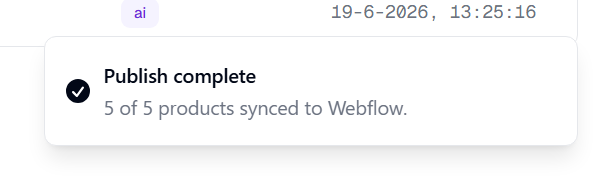
The whole flow typically takes 10-60 seconds depending on catalog size.
What gets duplicated
Products (Ecommerce collection):
name,description,summaryby default.- Any additional field you've added via the Fields dialog (custom fields, alt text fields, SEO fields).
- SKU variants: each SKU's
namefield per variant. - The locale-prefixed slug (e.g.,
de-blue-mug). - A
localePlainText field (auto-created on the collection if it doesn't exist) tagging the duplicate's locale for storefront filtering.
SKU variant linkage:
- The duplicate product's
default-skureference points at the duplicate's own SKU, not the source's. This is the link Webflow Designer reads when you open a product to edit it. (We learned the hard way: spreading the source'sdefault-skuID into the duplicate's PATCH broke Designer with "Unable to open this product because a variant is missing." Fixed: we strip linkage fields from the spread on every publish.)
CMS items (Blog Posts, Team Members, custom collections, etc):
- Every field you've marked translatable via the per-collection Fields dialog.
- The locale-prefixed slug.
- The
localePlainText field on the collection.
SEO and hreflang:
- Webflow auto-generates
sitemap.xmlto include every duplicate. - Each duplicate's meta title and description render in the translated language (if you've bound Page Settings to CMS fields - see SEO and hreflang).
- The hreflang script (auto mode) injects
<link rel="alternate" hreflang>tags into every translated page's head.
What does NOT get duplicated
- Product images stay the same across locales. The image URL is shared; only the alt text is translated (when you opt the alt-text field into translatables).
- Categories stay the same. Webflow Ecommerce categories are not currently part of Strategy A's duplication scope.
- Customer reviews, related-products links, inventory counts are shared across locales. These are storefront-level data, not per-locale content.
On every publish
The Publish flow is idempotent. Running it twice in a row does no harm:
- Already-published duplicates get PATCHed with whatever's in your StoreLingo translation DB (the latest edits).
- Slug collisions auto-retry with
-2,-3, etc., suffixes if Webflow holds a reserved slug from a previous delete. - The hreflang script re-registers only if your locale set changed since last publish; otherwise it short-circuits.
What you should verify after first publish
Open https://your-site.webflow.io/product/de-<some-slug> and confirm:
- The page loads with translated content.
- The price renders correctly (e.g., $19.00).
- View source: hreflang
<link rel="alternate">tags appear in the head. - Open the same product in Webflow Designer: it opens cleanly with no "variant is missing" error and the price field is populated.
If any step fails, see Troubleshooting.
Plan count impact
Each per-locale duplicate counts against your Webflow site's CMS item budget. A 100-product catalog translated into 3 locales uses 400 product rows in Webflow (100 source + 100 × 3 locale duplicates). Plan accordingly when choosing a Webflow Site plan.
When you cancel StoreLingo
The duplicates stay in your Webflow site. Translated pages keep rendering. You keep selling in every locale you'd already published. Your hreflang block stays too, because it lives in your own Collection page Head Code and was never ours to remove. See Ownership for the full guarantee.